Skip to content

Tamper-evident records

Turn documents into
checkable records.

Inspect public records and their Network Receipts. Track versions and changes in an audit trail, link records to the versions that replaced them, and organize them with tags and folders. Files you upload directly never leave your device.

Works withDocuSignGoogle DriveMCP

Sample public record

Verification snapshot

Captured Oct 1, 2026 · status may change

Anchored document

PDF · 5,228 bytes

Status at snapshot
ACTIVE
Issuer
Arkova
Network checkpoint
946,305
Network observed time
Network receipt
aa3c65ca38adc01789399c11c53afdbb632832e2041cc49e4d7482e2757e692f
Version
Current how versions link
Audit trail
Owner-visible see an example

This is a dated snapshot of public record details. Use the verifier to request a status update; cached results may lag recent changes.

Verify this record

DocuSign integration

Connect DocuSign and give selected completed documents a fingerprint, a public ID, and a Network Receipt. Signing shows who agreed. A fingerprint comparison shows whether a copy still matches what was signed.

How the connector works

Google Drive integration

Connect a Drive source and choose the documents to record. Each selected file is fingerprinted in server memory, discarded, and given a public record with an Observed Time. Nothing is copied out of your Drive.

How the connector works

Records that no one can quietly change. Anchored to a public, permanent ledger.

2.97M+Records anchored

As reported in Arkova Monthly, June 2026. The live count has moved on since.

Check any one yourself

Audit trail and version history

Every change, on the record. Every version, still provable.

When a document is updated, the earlier record is retired, not erased. The new version links back to the one it replaced, each keeps its own proof, and every action in between lands in an audit trail you can export.

Version history · Master services agreement3 versions
  1. v1
    OriginalApr 2 · 14:12 UTCARK-DOC-9Q1HTASUPERSEDED
  2. v2
    Updated versionMay 14 · 09:40 UTCARK-DOC-3F8Q2MSUPERSEDED
  3. v3
    Current · signedJun 30 · 16:05 UTCARK-DOC-M4K2VTSECURED
  • Nothing is overwritten. Each version keeps its own fingerprint, Network Receipt and Observed Time.
  • Links go both ways. The newer record names the one it replaced; the older one says what replaced it.
  • Changes are reviewed. A new version detected in a connected source waits for approval before it is anchored.
Audit trailPDFCSV
  1. Jun 30 16:05anchor.secured · v3 confirmed on the network
  2. Jun 30 15:51attestation.created · signed, DocuSign envelope
  3. Jun 30 15:50anchor.superseded · v2 retired by v3
  4. May 14 09:40anchor.created · v2 approved by J. Okafor
  5. May 13 22:10version.detected · new fingerprint in Drive, pending review
  6. Apr 2 14:20record.folder_changed · filed under Vendors / Acme
  7. Apr 2 14:12anchor.created · v1 uploaded by M. Reyes

Who did what, when, to which version. Export the report for your GRC platform or hand it straight to the auditor.

Link, tag, organize

Records that know how they relate

A proof on its own is a fact. A proof with its versions, its attestations, its folder and its tags is evidence you can actually use.

Linked records
Versions point at the record they replaced. Attestations point at the record they verify, endorse or audit. Follow the chain in either direction.
Private and organization tags
Tag a record for yourself or for the whole organization. Tags stay private. They never appear on the public proof.
Folders that mirror your sources
Nested folders, per person or per organization. Point a folder at a Drive location and new files are filed and secured as they arrive.
Attestations
Add a signed statement to any record: reviewed, approved, witnessed, audited. Attestations have their own proof and can be revoked with a reason.
Records/Vendors/Acme/Master services agreement
Status
SECURED · v3
Organization tags
acmemsafy26sox-302
Private tags
renewal-q3needs-legal
Source
Google Drive · Vendor contracts / Acme
Linked records
Attestations
  • Signed · counselACTIVE
  • Reviewed · J. OkaforACTIVE
Public proof
Shows status, fingerprint, time, issuer and lineage. Never shows tags, folders or the file.

Use case · Vendor contract, draft to audit

One contract, two hundred days, zero arguments about which version was signed

A legal operations team keeps vendor contracts in Google Drive and signs through DocuSign. Here is what Arkova adds, step by step, without changing where the files live.

  1. DAY 0

    A draft lands in the folder

    The connected Drive folder picks up the draft MSA. It is fingerprinted, filed under Vendors / Acme and secured as version 1. Legal ops tags it acme, msa, fy26.

    anchor.created · anchor.secured
  2. DAY 42

    Counsel edits the draft

    A new fingerprint is detected for the same file. Nothing is anchored yet: the change waits in the review queue until an admin approves it. Then version 2 is secured and version 1 is marked superseded, with links both ways.

    version.detected · anchor.superseded
  3. DAY 89

    Both parties sign

    The completed DocuSign envelope is anchored as version 3 and linked to the draft chain. Counsel adds a signed attestation. The record is now the current version and the earlier drafts are retired but still provable.

    signature.verified · attestation.created
  4. DAY 200

    The auditor asks for evidence

    Open the Acme folder, export the audit report as PDF or CSV, and send the public IDs. The auditor checks every version on the Verify page with no account and no copy of the contract.

    report.created · credential.verified

What the auditor sees: three linked records, each with its own fingerprint, Network Receipt and Observed Time, plus the signed attestation. What they never see: the contract, your tags, your folders, or anything else in your account.

More use cases

See yourself using it

Same records, five different jobs

Pick the one that looks like your week. Each is three steps in the product as it ships today.

Compliance and audit teams

Build the SOC 2 evidence binder as the year happens, not the week before

  1. Connect the policies and change-log folders in Drive. Every new or revised file is secured on arrival and waits for review when it changes.
  2. Watch framework coverage grow on the compliance dashboard: which controls are evidenced by which secured records.
  3. At audit time, run an auditor batch on the sample the auditor picks and export the audit pack as PDF or CSV.
Drive connectorVersion reviewAuditor batchAudit pack
Registrars and institutions

Stop answering verification requests one transcript at a time

  1. Verify the organization once (registration check plus a domain code), then issue from a credential template or bulk-upload a term’s worth of records from a spreadsheet.
  2. Each graduate gets a public ID and a portfolio page. Employers check it on the Verify page or through the embeddable widget on your own site.
  3. A correction becomes a new version that supersedes the old one. The old link says so; nothing is quietly rewritten.
Org verificationBulk uploadTemplatesEmbed verify
Legal departments

Prove what was signed, and what it looked like before

  1. Connect DocuSign. Completed envelopes are secured by rule.
  2. Keep drafts in a connected folder so the negotiation history is versioned too.
  3. Hand opposing counsel a public ID instead of a PDF.
DocuSignRulesLineage
Professionals and learners

One place for every credential you have earned

  1. Import badges from Credly or Accredible links, or secure a certificate yourself.
  2. Log continuing-education credits as you earn them and export the CLE or CPE log when the board asks.
  3. Share one portfolio link. Each item shows how strong its evidence is.
My credentialsCLE / CPE logPortfolio
Developers and agent builders

Give your product, or your agent, a memory nobody can edit

  1. Register the agent and issue it its own key with scoped permissions.
  2. Secure outputs with one call from the TypeScript or Python SDK, or over MCP.
  3. Verify in batches of 100 and subscribe to signed webhooks.
Agent keysMCPWebhooks

Everything a record can do

The full map, in one place

A timestamp service gives you a date. Arkova gives the record a life: secured, organized, attested, proven, audited and automated.

See how it works
01 · Secure

Get a proof for anything

  • Fingerprinted in your browser; the file stays with you
  • Queue for free; records are secured in the next scheduled batch
  • Bulk upload from a spreadsheet, with per-row results
  • On-device text reading suggests fields; private details are stripped first
  • Revoke a record with a reason when it should no longer stand
02 · Organize

Keep the history straight

  • Nested folders, personal or organization-wide, with strict privacy
  • Private and organization tags that never appear publicly
  • Version history and supersede links in both directions
  • Conflict review when a connected file changes
  • Lifecycle timeline on every record
03 · Attest

Say something about a record

  • Attestations: reviewed, approved, witnessed, audited, with revocation
  • Credential templates for verified organizations
  • Import existing badges from Credly, Accredible or the Credential Engine registry
  • Public portfolios, issuer registry pages and member profiles
04 · Prove

Let anyone check, with or without us

  • Public Verify page: no login, no copy of the file
  • Drop a file to check it; it is fingerprinted on the visitor’s device
  • Verify without Arkova, with an open-source checker
  • Verification certificate PDF with a machine-readable proof packet
  • Every proof states what is measured, asserted and not asserted
05 · Audit

Hand the auditor what they asked for

  • Audit pack export, PDF or CSV, per record or whole organization
  • Framework coverage: which controls your records evidence
  • Audit My Organization scorecard with history
  • Auditor batch checks for SOC 2 and ISO 27001 samples
  • CLE and CPE logs and exports
06 · Automate

Make it happen without a person

  • Google Drive and DocuSign connectors feeding a rules engine
  • Signed webhooks with delivery history and resend
  • REST API, single and batch verify, scoped API keys
  • SDKs for TypeScript, Python and LangChain
  • Hosted MCP server and per-agent keys for AI agents

How it works

Fingerprint. Anchor. Verify.

Three steps from a file to a checkable public record. Direct uploads stay on your device. No account is needed to check a record.

  1. 01

    Fingerprint

    A SHA-256 fingerprint of the document is computed in your browser for direct uploads, so the file stays on your device. Documents selected from a connected source are fingerprinted in server memory and discarded.

  2. 02

    Anchor

    The fingerprint is linked to an anchor on a public, permanent ledger that no single company controls, Arkova included. The public record shows a Network Receipt, a Network Checkpoint, and an Observed Time.

  3. 03

    Verify

    Anyone with the public ID can look the record up on this page, through the API, or with their own tooling. With a copy of the file, compare fingerprints to check whether it matches. No account required.

Why Arkova

Trust used to be assumed. Now it has to be shown.

Arkova fits the document workflows you already run and gives each record a reference that holds up later, in front of an auditor, a court, or a counterparty.

01
No single point of control
The anchor is recorded on a public ledger outside Arkova’s infrastructure. No vendor, Arkova included, can edit it or take it offline.
02
Simple, secure integration
A REST API, HMAC-signed webhooks, DocuSign and Google Drive connectors, and an MCP server for agent workflows. One filing or millions of records.
03
Private by construction
Direct uploads are fingerprinted on your device. Arkova retains the fingerprint and limited metadata, not the original file.
04
Anyone can check
Looking up a public record is free and needs no account. A changed byte produces a different fingerprint, so a copy either matches the record or it does not.
05
Published security controls
Our controls are documented in the Cloud Security Alliance STAR Registry. CSA STAR Level 1 is a published self-assessment, not a third-party audit or certification. View our STAR Registry listing

Case studies and partners

Trusted for critical records

Legal technology · Kenya

HakiChain

HakiChain has announced Arkova for document-integrity checks in its HakiDocs workflow, so the integrity of a filing can be checked later with neither HakiChain nor Arkova holding the original file.

Visit HakiChain
1 call
To look up any record
0
Original files retained by Arkova

Verify a real record

Don't take our word for it. Check one yourself.

Every record has a public ID. Look one up here or with a single API call to see the reported issuer, status, Observed Time, and Network Receipt. No account, and no copy of the original file, required. The lookup reports record details; it does not compare a file you hold.

Understand what a record can prove

Pre-filled with a real record — hit Verify to check it live, or see it on search.arkova.ai. Paste any Arkova public ID — no account needed.

Developers

Built for the systems you already run

Look up a public ID over REST, receive record events through signed webhooks, or let an agent call Arkova over MCP. Scales from one filing to millions of records.

Discuss an integration
  • Single-call and batch lookup over REST
  • HMAC-signed webhooks and API keys
  • DocuSign and Google Drive connectors
  • MCP server for agents. Confirm available tools with your account.

One public ID, one call

Run the same lookup the verifier makes, through the marketing-site proxy, and see the selected fields that come back.

GET /api/verify/ARK-DOC-HKUK9N
Selected response fields
Press “Run it” to request this public ID through the marketing-site proxy.

These are selected fields from the response, not the complete API payload. A successful request is not a verdict about the document.

This page uses a same-origin proxy to request a public record. Responses may be cached, and requests may be logged.

Or get the event pushed to you

Webhooks can notify your endpoint about supported record events. The illustration below shows the handoff; it does not send an event or check a signature.

Webhook flow illustration

Example record details, not an exact webhook payload or API schema.

Public ID
ARK-DOC-HKUK9N
Status at snapshot
ACTIVE
Network observed

In an integration, a webhook can notify your service about a record event. This example only illustrates the handoff.

Explore the handoff without sending a request.

Research

From the research desk

All articles
Article · Carson Seeger

The Missing Gap in the Agentic IAM Discussion

Agent identity and document integrity are separate checks. A public record and file fingerprint can help a reviewer trace a version without certifying its contents or issuer.

Read more →
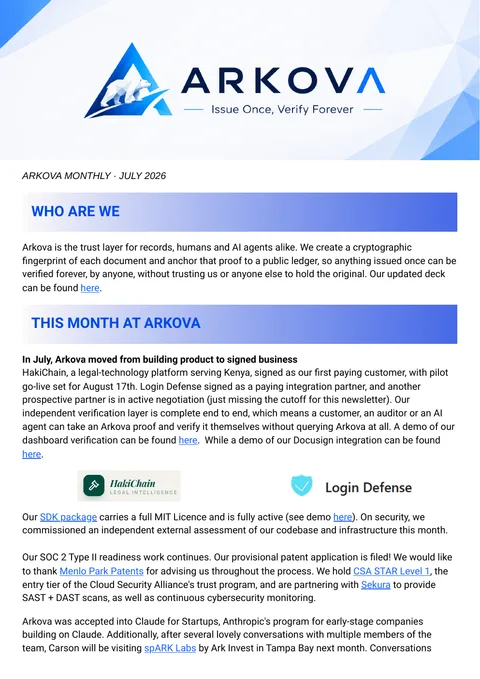
Arkova Monthly · July 2026

What we shipped, who we are working with, and what is next

Product, security, and partnership updates in Arkova Monthly. One email a month. The July 2026 issue is a dated archive of what the team was building then.

Open a free account today

Create your first records in minutes. Looking up a public record stays free and needs no account.

Get started

Investor or partner? View the pitch deck or write to founders@arkova.ai.

Contact

Uphold the integrity of your records

Talk to the team about adding Arkova to your document workflow, your compliance program, or your product.

What skeptics ask

Common questions

What does Arkova actually do?

Arkova gives a document a fingerprint, public record ID, and network anchor reference. Anyone can look up the record. Someone with a copy of the file can compare fingerprints to check whether it matches. That comparison does not establish whether the document’s contents are true or who was authorized to issue it.

How is this different from DocuSign, a notary, or a timestamp service?

Electronic signatures, notarization, and timestamp services each address different parts of a document workflow. Arkova adds a public record and fingerprint reference for later file comparison. It can complement those services; a fingerprint match alone does not establish a signature’s validity, a signer’s identity, or a legal conclusion.

Do you store my documents?

We do not retain original documents. Files you upload directly are fingerprinted in your browser and stay on your device. If you select a document from a connected source such as DocuSign or Google Drive, Arkova fingerprints it in server memory and discards the file immediately. We retain the fingerprint and limited metadata. See our Privacy Policy for the full processing details.

Can my document be reconstructed from the fingerprint?

SHA-256 is designed to be one-way; the fingerprint is not a copy of the file. Someone with a candidate document can compute its fingerprint and compare it with a recorded value when available. A match alone does not establish whether the document’s contents are true or who issued it.

What does “tamper-evident” actually mean?

Compare a copy of the file with its recorded fingerprint when that value is available. A different fingerprint indicates different content. A public record lookup alone does not compare a file or establish that its contents are true.

What happens if Arkova goes away?

A public-network anchor is recorded outside Arkova. Checking a particular file without Arkova also requires the file and enough record details to connect its fingerprint to that anchor. The sample record does not offer a self-contained offline proof bundle, and current status is provided by the verification service.

What is the “public network” you anchor to?

Arkova connects a public record to an anchor on a network outside Arkova’s infrastructure. The public record shows a network checkpoint and receipt. Those details help locate the anchor; they do not by themselves confirm a document’s contents or issuer.

How does someone verify a record?

Enter its public ID to review the reported status, issuer label, network observed time, checkpoint, and receipt. With a copy of the file, compare its fingerprint against the recorded one to check integrity. A lookup alone does not prove the contents are true or the issuer was authorized.

Can a record be revoked or corrected after it’s anchored?

The network anchor remains, while a record’s reported status can change. A verification lookup returns the status available from the service; cached results may lag recent changes. Ask the issuer about a revocation or replacement record.

Can I integrate it with my systems?

Arkova offers a REST API and webhook events for supported workflows. Use the public ID to look up record details, or contact us to discuss connectors and how an integration would fit your systems.

Is it available now?

Yes. Arkova is live. Get started in the app, or talk with us about an integration or pilot.

Last updated: October 2026